Learn Smarter on YouTube
Take timestamped notes on YouTube videos. Track progress, use AI summaries & Focus Mode, and explore interactive transcripts with translation — all directly on YouTube.
Works in all Chromium browsers (Edge, Brave, Opera, Arc, Vivaldi)
Free forever • No account required • Works offline
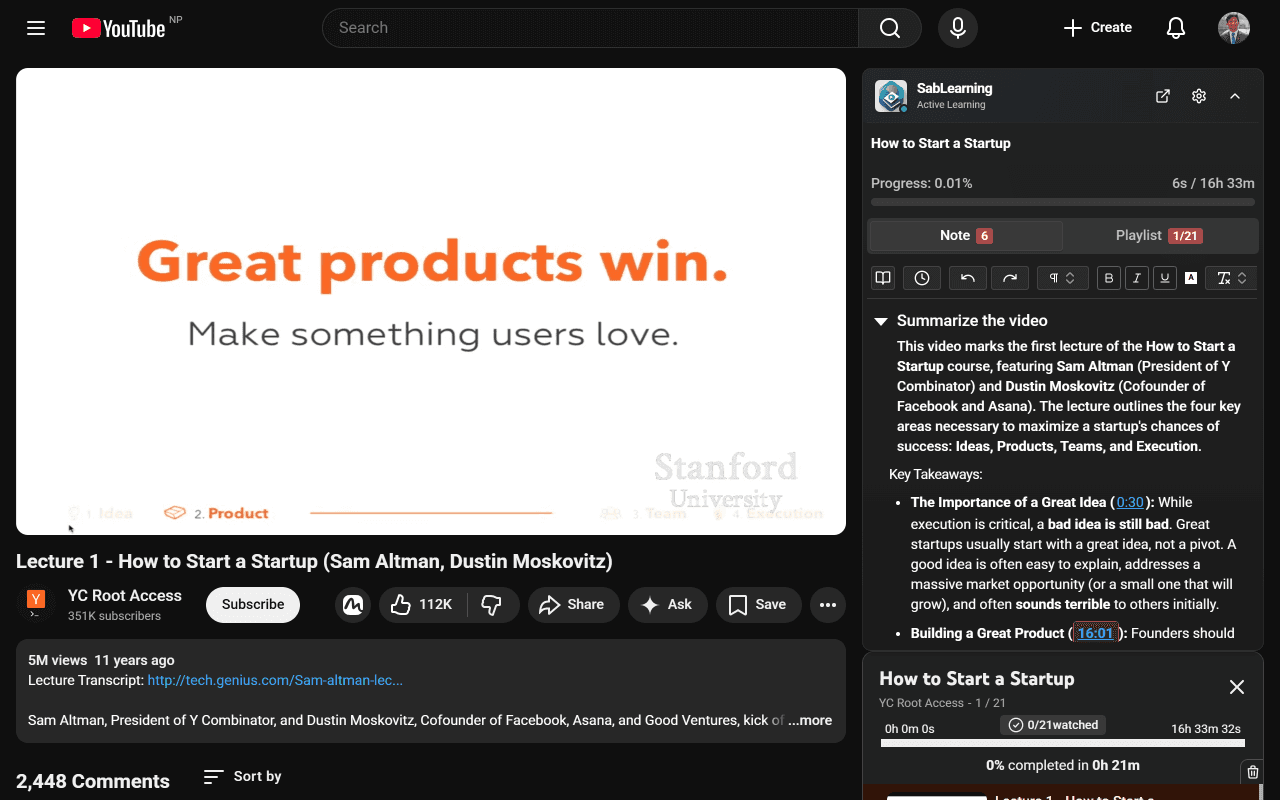
See SabLearning in Action
Watch how SabLearning transforms YouTube into a structured learning platform
90-second demo • Covers notes, timestamps, AI export, and dashboard
Everything You Need for YouTube Learning
Powerful features designed to transform your passive YouTube watching into active, structured learning with progress tracking and organized notes.
See SabLearning in Action
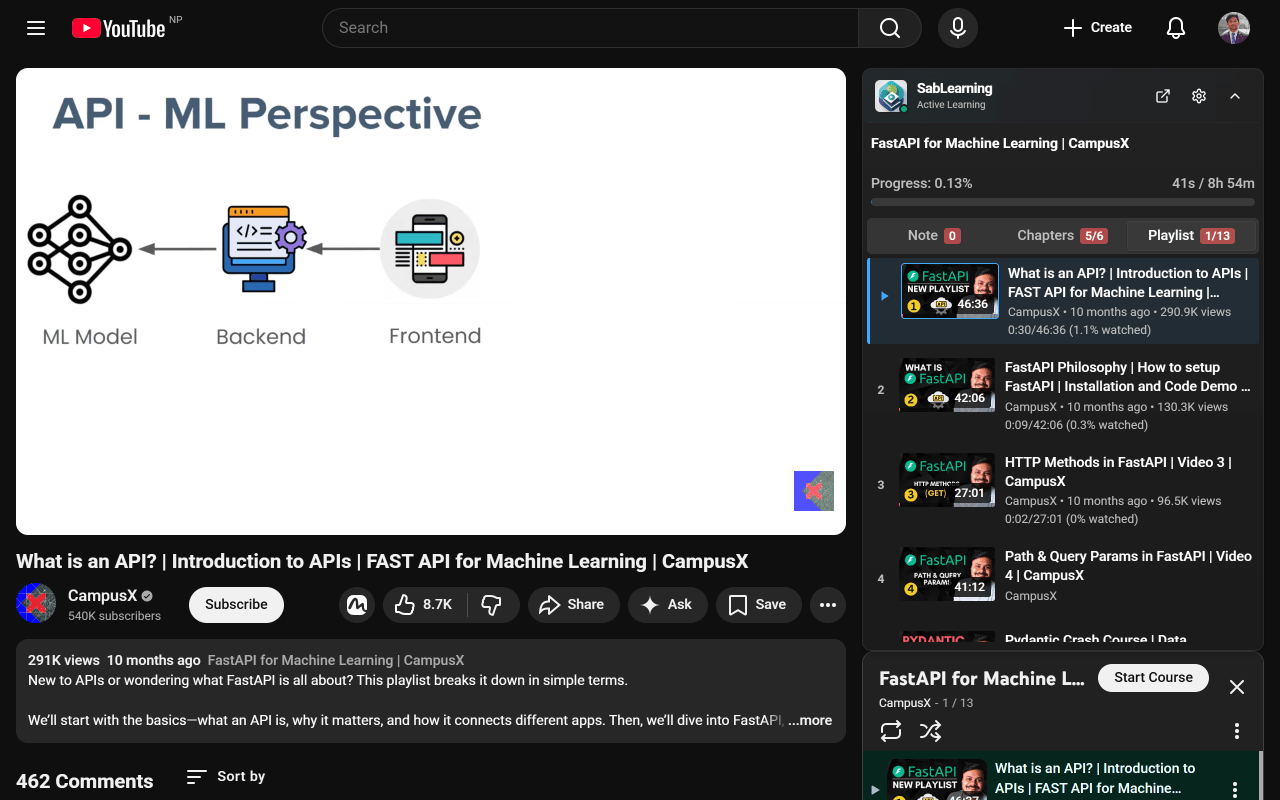
Explore the extension interface featuring timestamped notes, interactive transcripts, progress tracking, chapter organization, and AI-powered assistance.
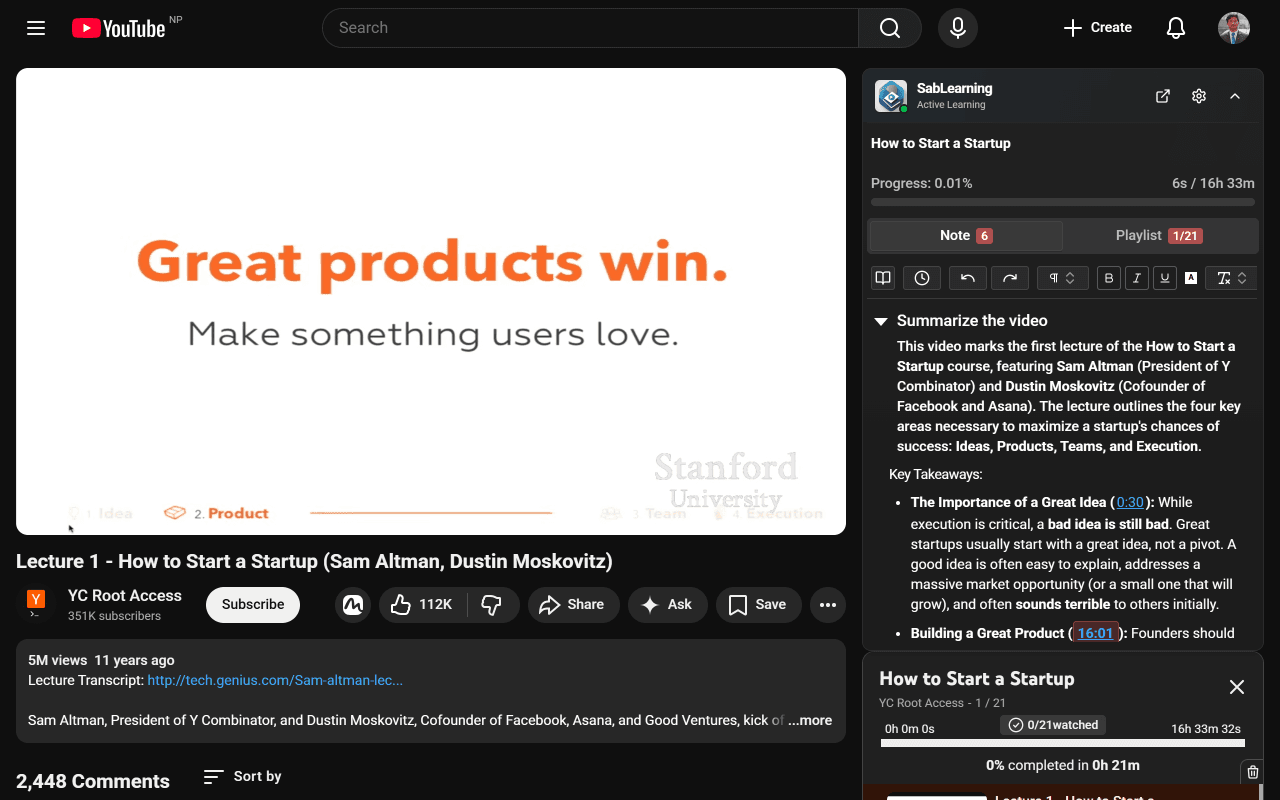
Main Sidebar Interface
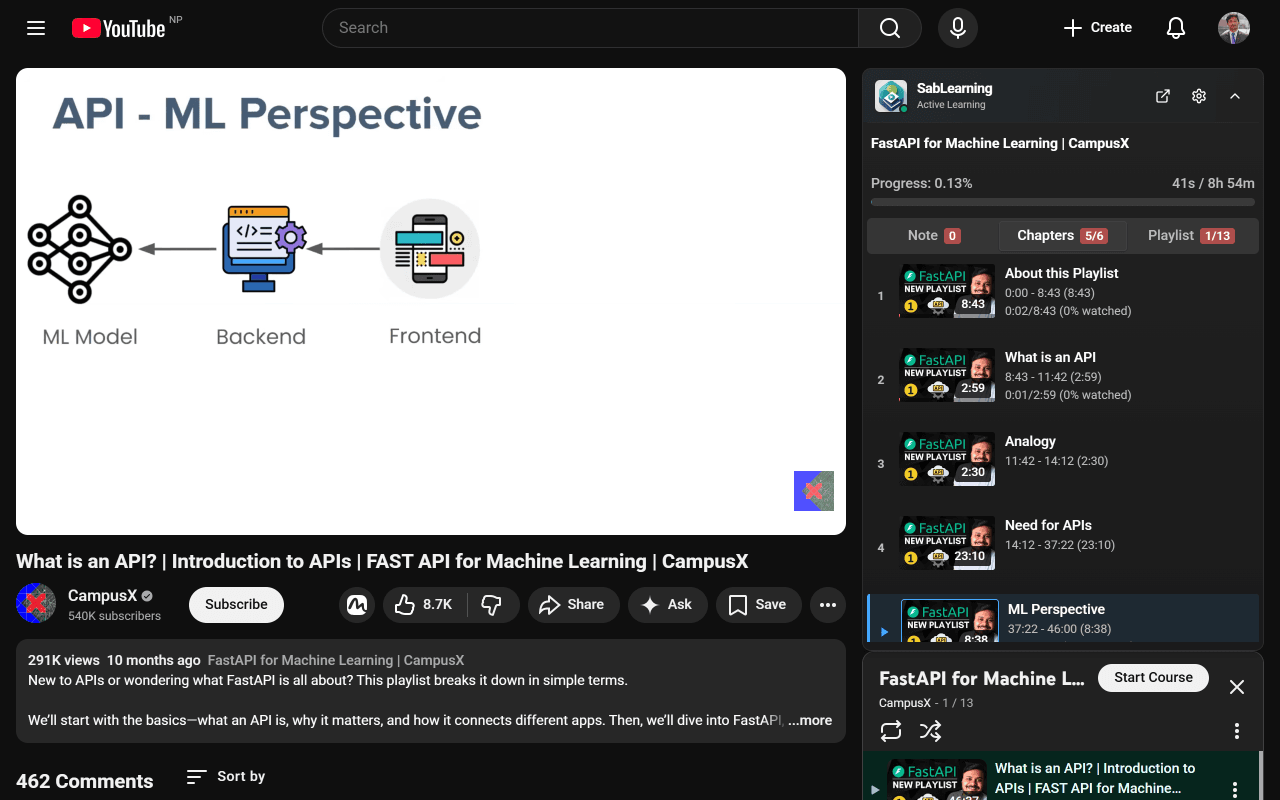
Take Timestamped Notes
Filter Transcripts by Chapter or Range
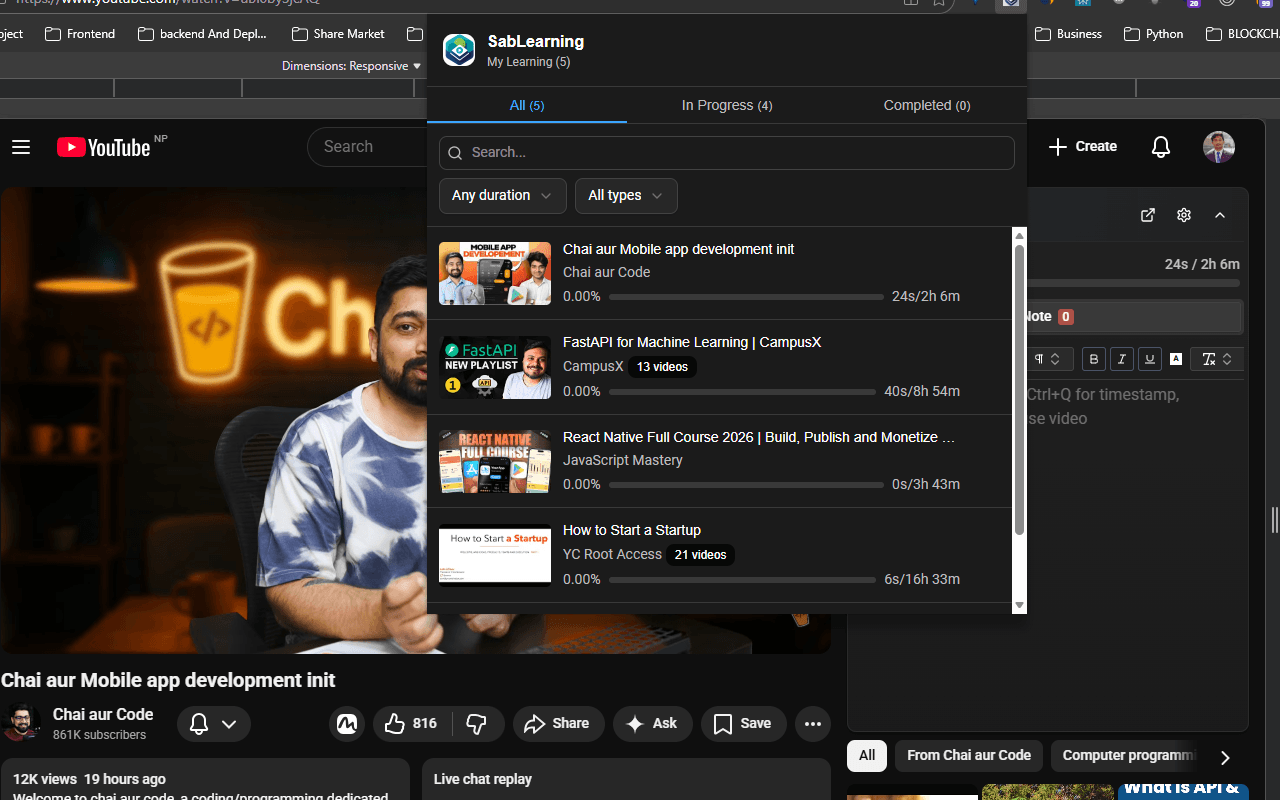
Track Your Progress
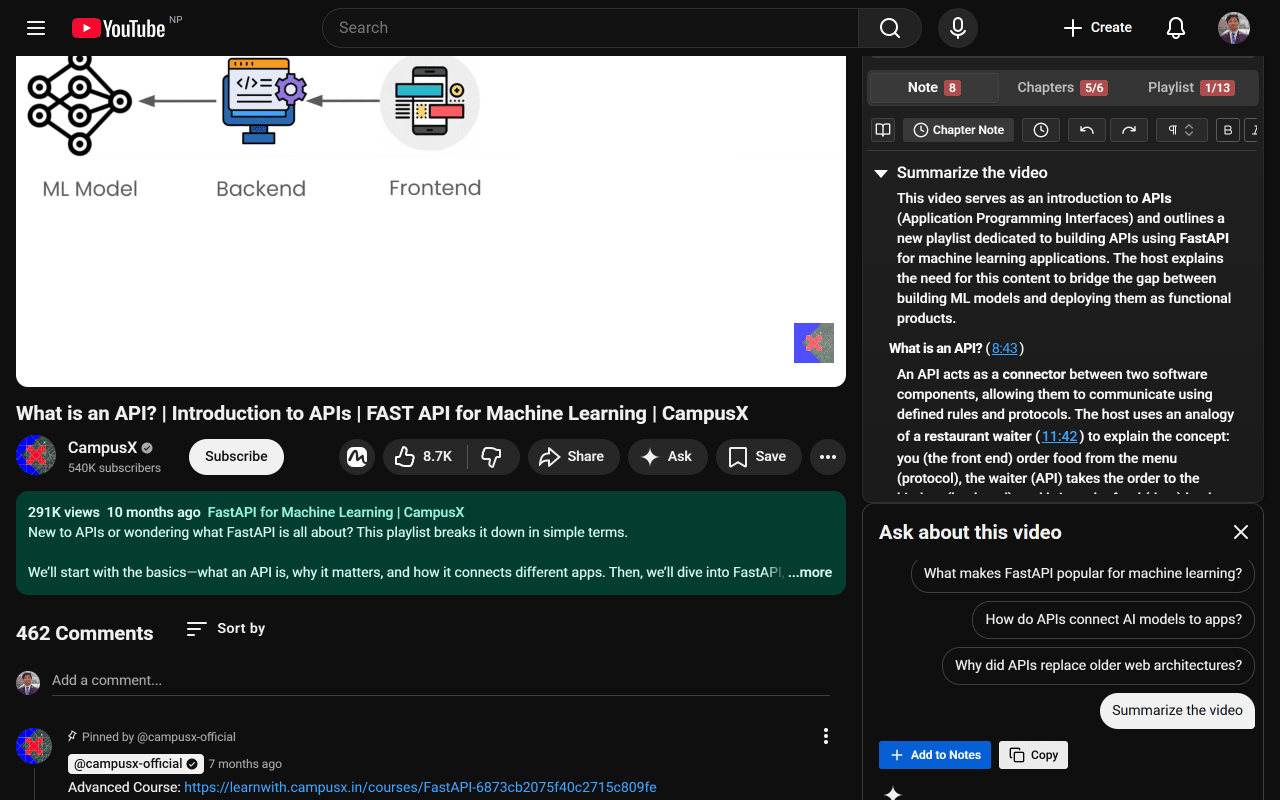
AI-Powered Assistance
Get Started in 3 Simple Steps
Transform your YouTube learning experience in minutes. No complex setup required. Take notes, watch transcripts, and track progress — all in one place.
Why Learners Love SabLearning
Instant Setup
No account required. Install and start learning immediately.
Privacy First
Your notes stay local. Cloud sync is optional and secure.
Active Learning
Transform passive watching into active, structured learning.
Frequently Asked Questions
Everything you need to know about the SabLearning browser extension
Is the SabLearning extension free?
Yes, SabLearning extension is completely free with no hidden costs, premium features, or subscription fees. We believe in making quality learning tools accessible to everyone.
Do I need to create an account?
No, the extension works without an account. Your notes are stored locally in your browser using IndexedDB. You can optionally sign in to sync your notes across devices.
Which browsers support the extension?
SabLearning works on all Chromium-based browsers including Chrome, Edge, Brave, Opera, Arc, and Vivaldi. Install from Chrome Web Store and it will work across all these browsers.
Does it work with YouTube playlists?
Yes! You can track progress for entire playlists and take notes for each video. The extension shows which videos you've watched and helps you resume where you left off.
Does it work offline?
Yes! All your notes are stored locally in your browser, so you can take notes even without an internet connection. The extension will work normally as long as you're on a YouTube page.
Is my data private?
Absolutely. Your notes are stored locally in your browser by default. We don't collect or sell your data. Cloud sync (when available) will be optional and encrypted.
Can I read video transcripts in other languages?
Yes. The extension intercepts YouTube signed timedtext URLs, fetches captions as JSON3, and can translate them to any supported language. The transcript auto-loads and supports click-to-seek and auto-scroll.